Published 2026-11-24 · Updated 2026-11-24 · LiveFaceSwap.co
Virtual try-on for a single item: top, bottom, dress or full outfit
Four real virtual try-on runs show what a garment-type choice changes: a sweater that keeps your jeans, trousers that keep your shirt, and what a still image cannot tell you about fit.
Most of the time you are not shopping for a whole outfit. You are looking at one sweater and wondering how it looks with the jeans you already own. A general clothes changer answers a different question: it replaces everything you are wearing with whatever is in the product image, and if that image shows only a sweater, it has to invent the rest.
Virtual try-on with a garment-type choice is built for the single-item case. You tell the tool whether the product is a top, a bottom, a dress or a full outfit, and it replaces only that part. This article walks through four real runs of the Virtual Try-On tool on LiveFaceSwap.co, one per garment type, and then covers what a try-on image can and cannot tell you before you buy.
What the garment type changes
The tool takes two images: a photo of you and a product image. It sends both to an image model with a fixed instruction that depends on the type you chose:
- Top: dress the person in only the top shown in the product image, keeping their own trousers, skirt and shoes.
- Bottom: dress the person in only the bottom shown, keeping their own top and shoes.
- Dress: put the person in the dress, replacing both top and bottom.
- Full outfit: dress the person in the complete outfit shown.
In every case the instruction also keeps your face, hair, body shape, pose, hands, background, framing and lighting, and tells the model to take only the clothing from the product image.
The examples below use fictional people and products generated with AI. Each result is the unedited output of the tool.
Top: a sweater over your own jeans
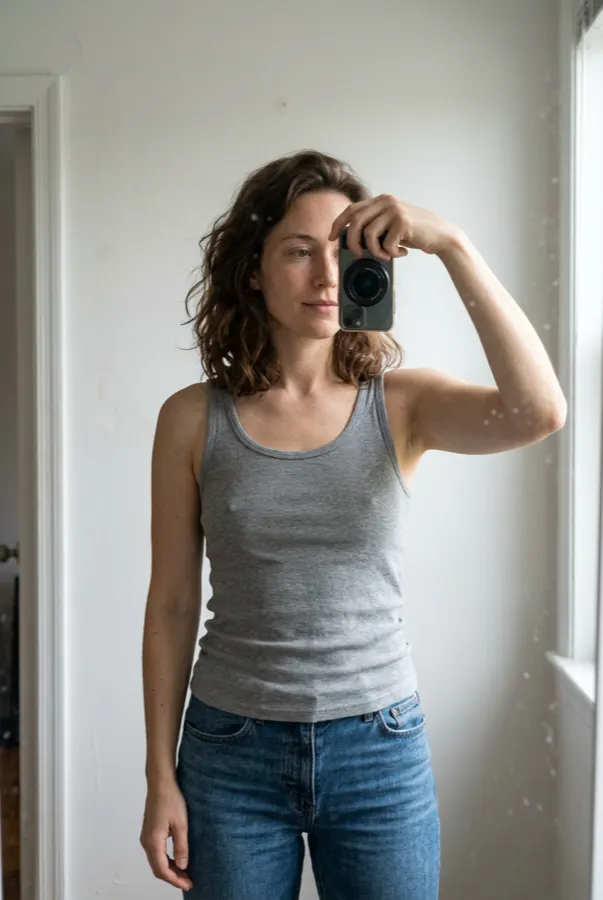
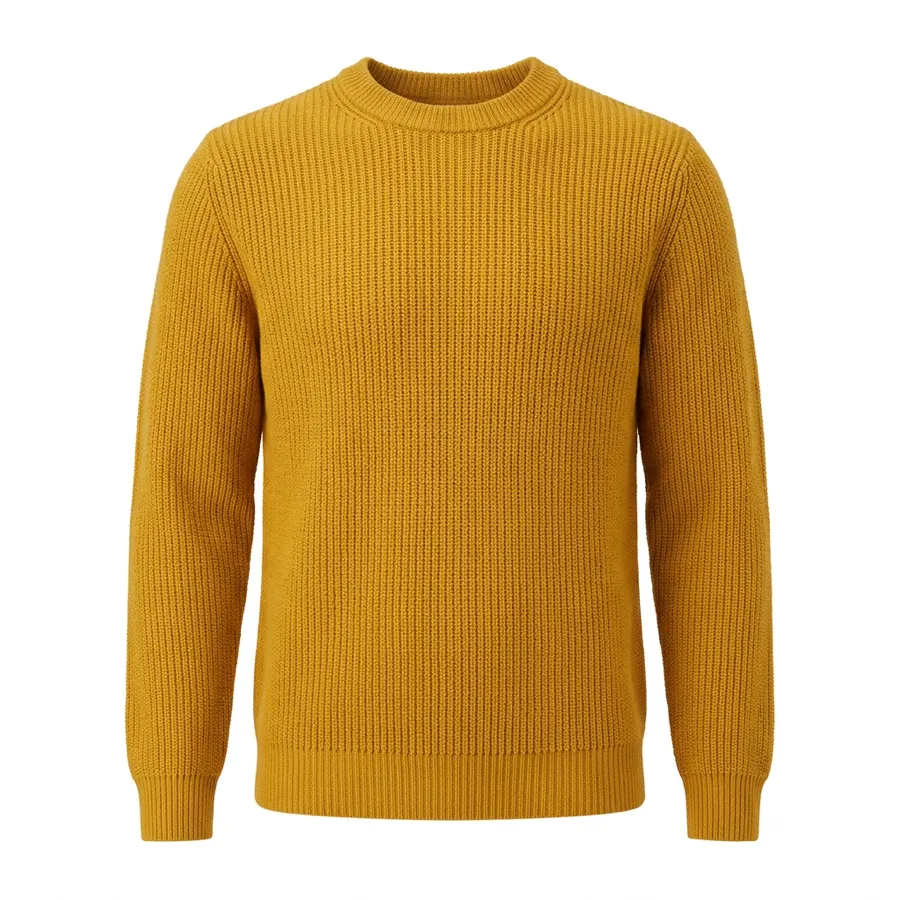
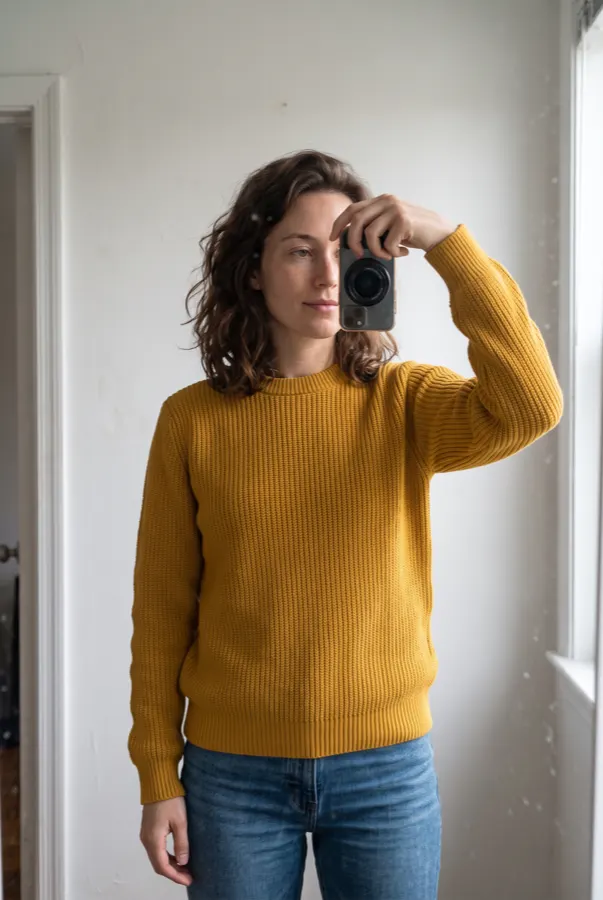
The source is a mirror selfie in a tank top and jeans, with a phone held up in front of the face. With Top selected, the mustard sweater replaced the tank top and the jeans stayed. The sleeve on the raised arm follows the arm, and the ribbed texture carried over. The phone, the pose and the room are unchanged.
This is the try-on most people want: one item from a shop, on a photo they already have, with the rest of their clothes left alone.
Bottom: trousers under your own shirt
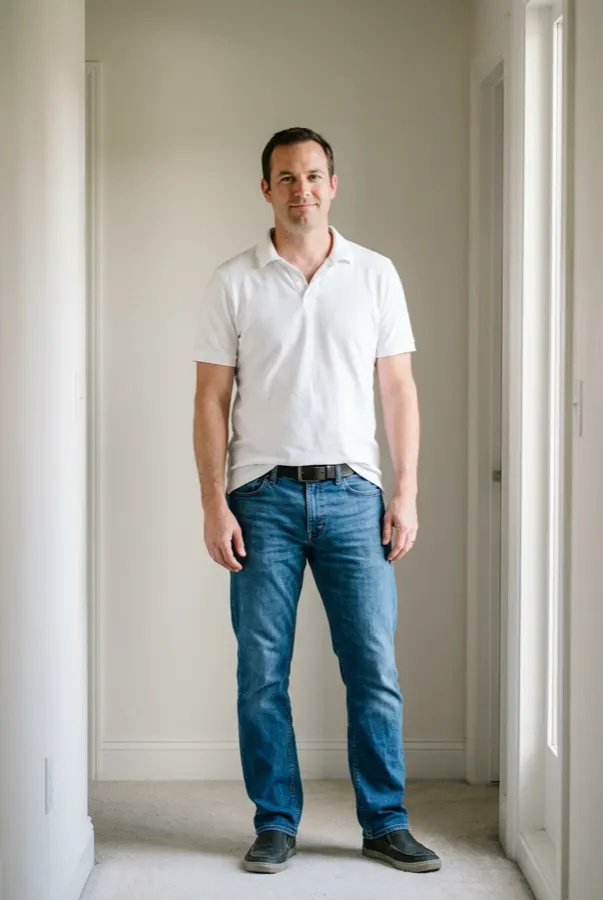
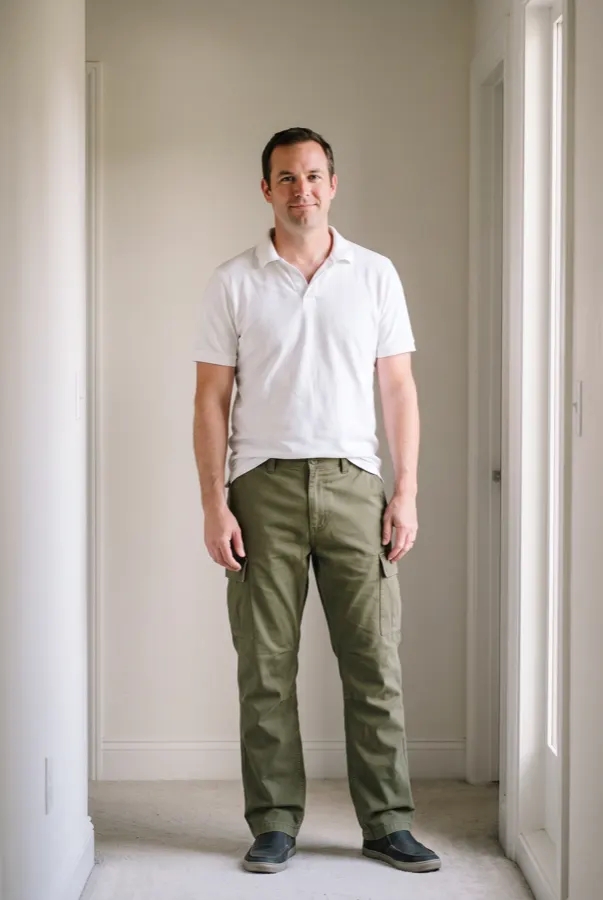
With Bottom selected and a product image of olive cargo trousers, the jeans were replaced and the white polo shirt and shoes stayed. The cargo pockets appear at thigh level as they do in the product photo.
We ran the same photo again with Top and the mustard sweater from the first example. That run changed the polo shirt into the sweater and left the jeans alone. The same person photo gives a different result for each type, which is the point of the control.
Dress: one garment replaces two
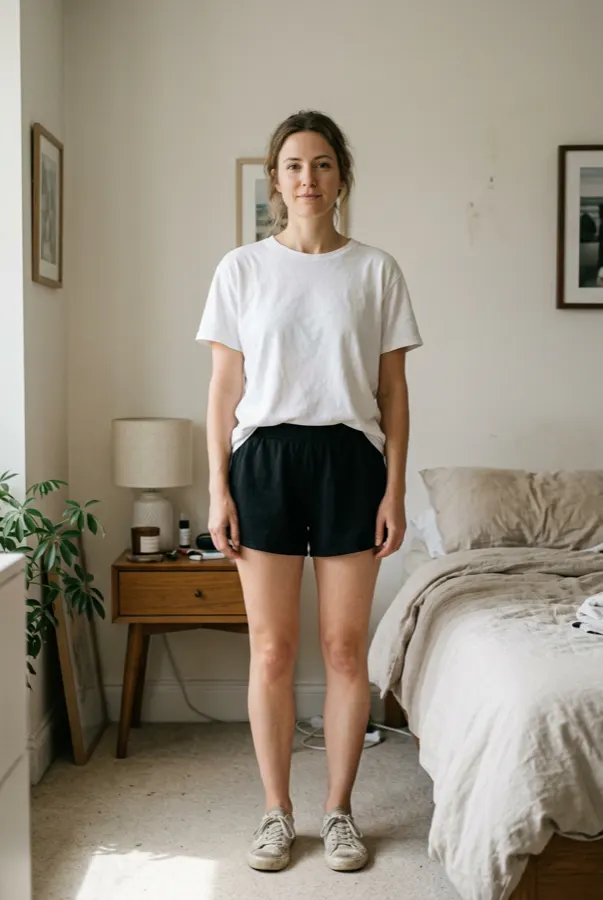
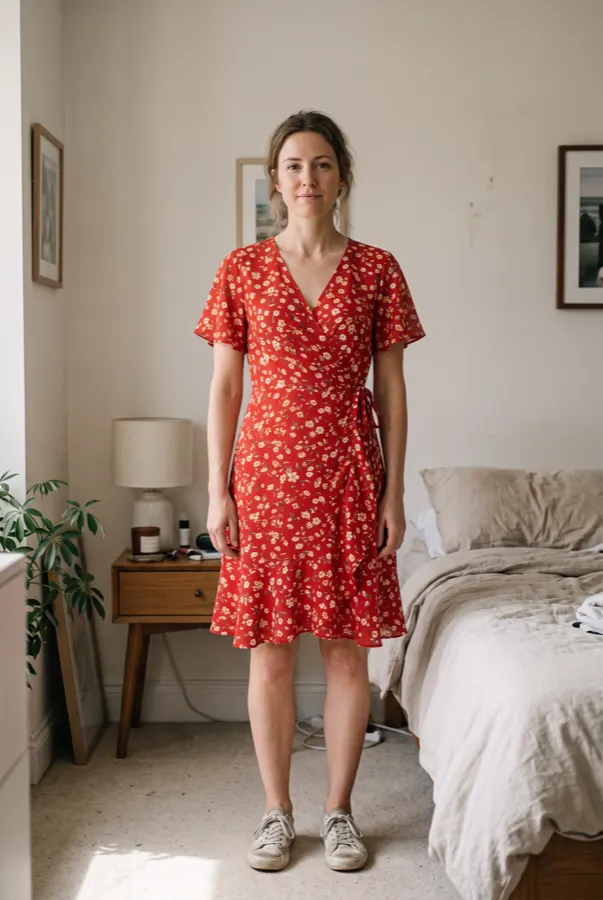
A dress covers what a top and a bottom covered, so the Dress type replaces both. The t-shirt and shorts were replaced by the red floral wrap dress, with the wrap tie at the waist and the short flutter sleeves. Her sneakers stayed, because shoes were not part of the product image.
Full outfit: a suit from one product image
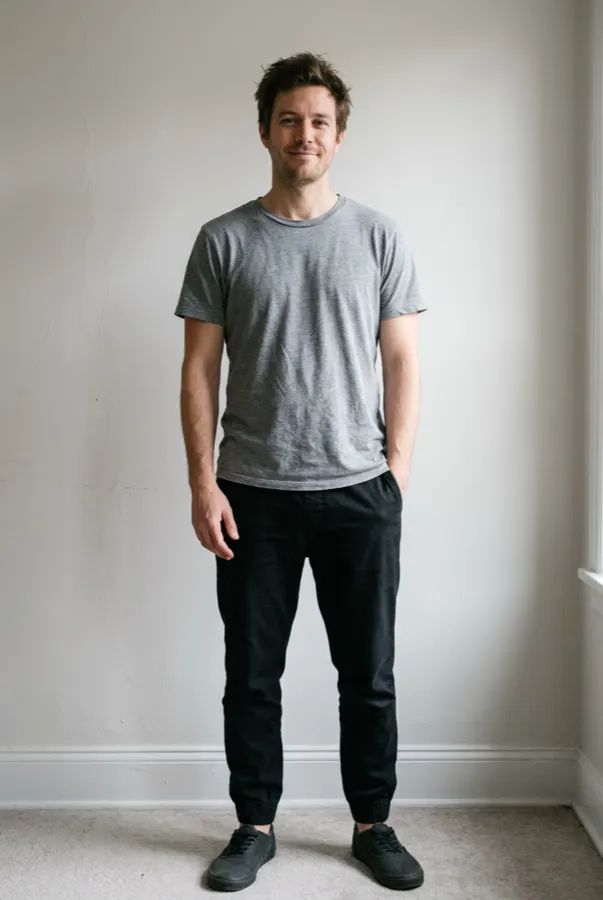
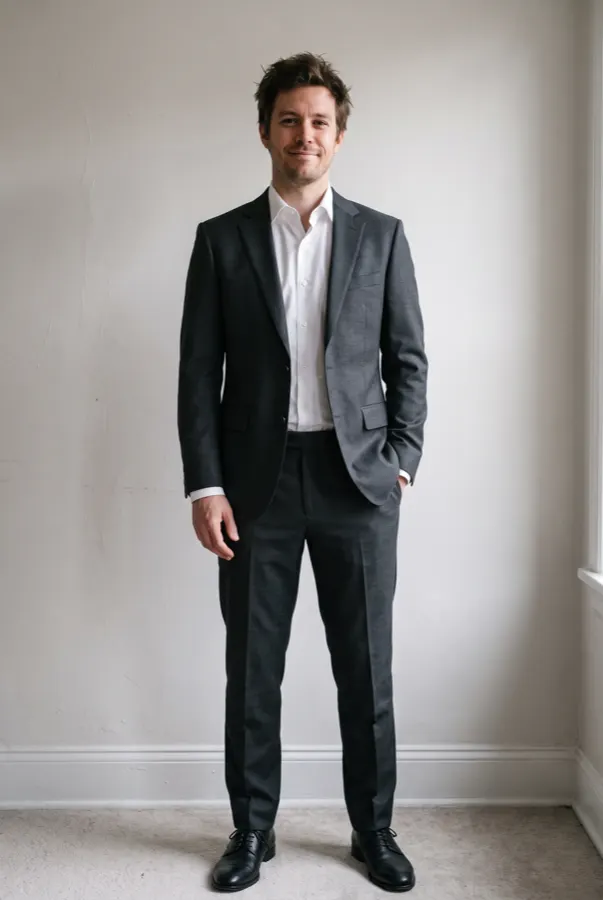
The product image showed a charcoal two-piece suit with a white shirt. With Full outfit, the t-shirt and joggers were both replaced by the jacket, shirt and trousers. The product image did not show shoes, so what he wears on his feet is the model's decision, not a fact about the product. The same is true of anything else a product image leaves out.
What a try-on image tells you, and what it does not
It tells you about the look. Colour against your skin and hair, how a cut sits on your proportions, whether a length or a volume suits you, and how an item combines with clothes you own.
It does not tell you about fit. The model draws the garment so that it fits. It has no idea of the item's real measurements or yours. A size that would be tight in reality will still look fine in the image. Use the retailer's size chart, measurements and reviews for that.
It does not show fabric behaviour. Stretch, weight, transparency and how a fabric moves are not things a still image generated from a product photo can establish.
Details can drift. Small prints, logos, buttons and the back of a garment may differ from the product. Compare the result with the product image before you rely on it.
Getting a result you can trust
- Use a front-facing photo in even light, with the body area the garment covers visible. Fitted clothes show your shape better than loose ones.
- Use the largest product image the shop offers, showing the whole item from the front on a plain background.
- Pick the garment type that matches the product, not the one closest to what you are wearing.
- Compare the neckline, sleeves, length, colour and print with the product image.
- For a real sense of movement, try the live studio's Try-On mode, which puts an outfit on your webcam in real time.
Cost and privacy
Each try-on uses 20 credits from the same balance as the live studio. Failed results are refunded, and your account's first photo result is free. Results are about 2K with no watermark. Your photos and results are stored privately with your account, processed by a third-party image AI provider only to create the result, and never used to train models. If you want to replace a whole look with a preset outfit instead, the AI Clothes Changer has a preset library.