AI photo tool
AI Clothes Changer Online
Put any outfit on your photo. Your face and pose stay the same.
Quick answer
What ai clothes changer does
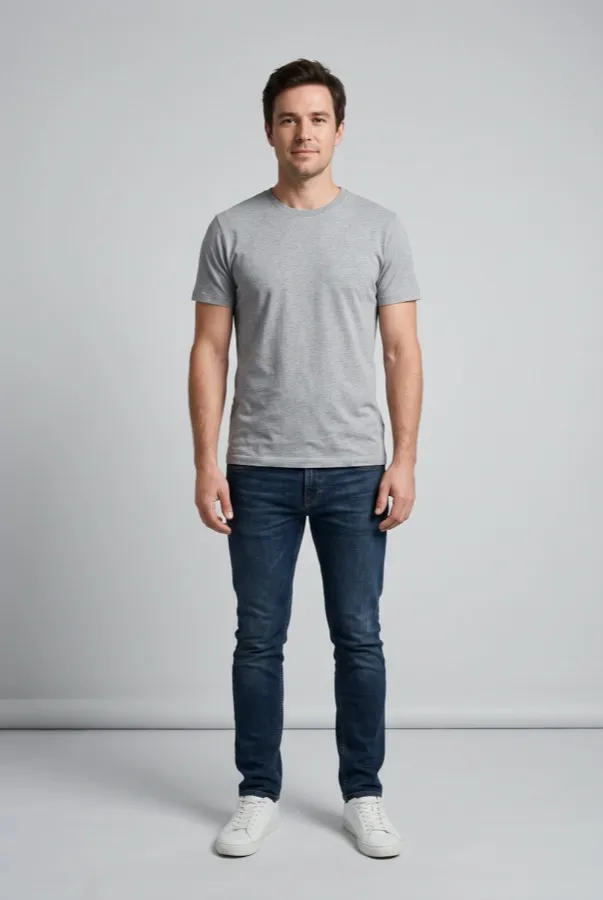
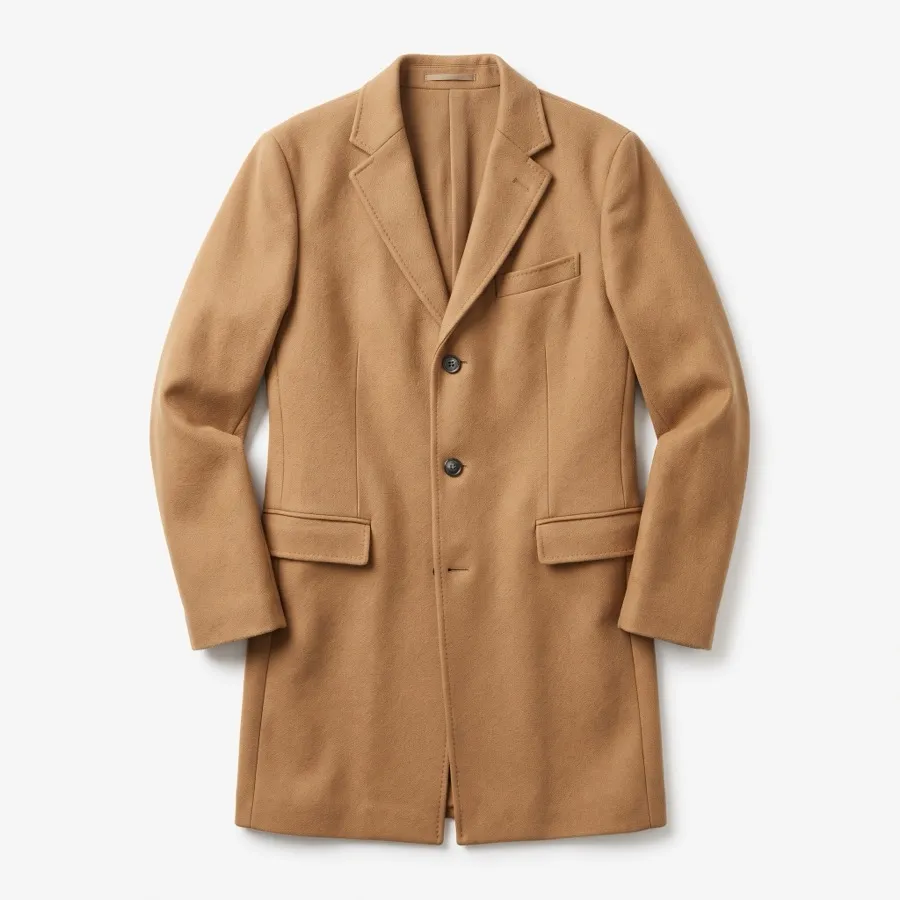
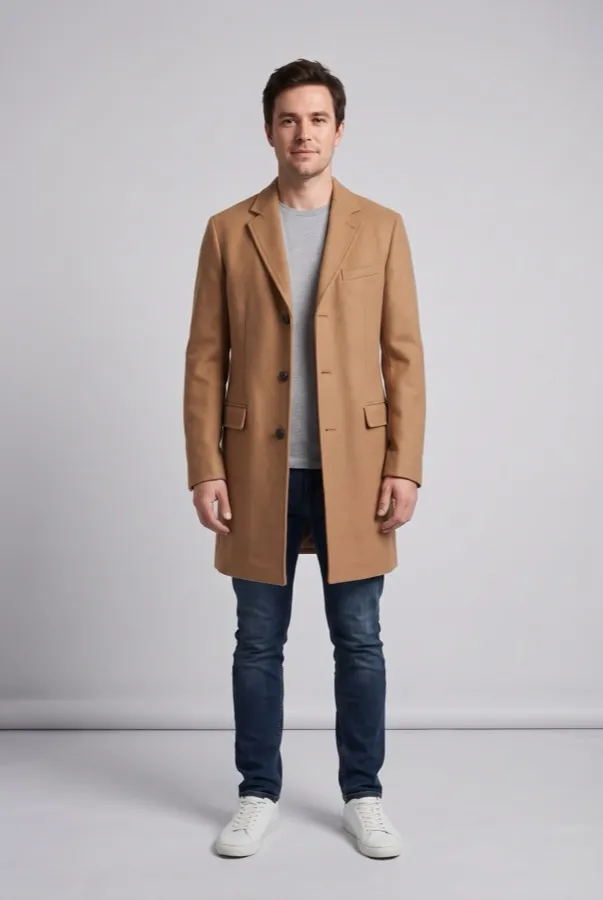
Upload a photo of a person and a photo of an outfit, and the AI clothes changer returns a new image of that person wearing that outfit. It replaces only the clothing: the face, hair, body shape, pose, background and lighting come from your photo. The outfit can be a shop's product photo, a flat lay or a picture of someone else wearing it. Use it to judge colour, style and proportions before you buy or plan a look; it cannot tell you whether a size will fit.
- You upload
- Your photo + outfit photo (JPG, PNG or WebP, up to 10 MB each)
- You get
- One image at about 2K resolution, no watermark
- Cost
- 20 credits per result, refunded if it fails. Your first photo result is free. A $10 top-up (1,000 credits) covers 50 results.
- Time
- Usually one to two minutes per result
Example
One real run, start to finish
How it works
How to use ai clothes changer
- 1
Upload your photo
Choose a sharp, well-lit photo of the person, ideally standing and facing the camera, with the clothes you want replaced clearly visible.
- 2
Add the outfit photo
Save the largest product image from the shop, or use a flat lay or a photo of someone wearing it. Crop away prices, text and other products first.
- 3
Change clothes and check
Generate, then compare the result with both photos: neckline, sleeves, length, buttons, colour and print. Download the image, or try another outfit or photo.
Better results
Photo tips that change the result
- 1
Use a full, front-facing photo
A head-to-toe or waist-up photo taken straight on gives the AI the whole body outline. Arms by your sides work better than crossed arms, bags or hands in pockets.
- 2
Wear fitted clothes in your photo
A loose coat or hoodie hides your shape, so the new outfit is drawn on a guess. Fitted clothing gives a more believable result.
- 3
Use the biggest outfit image
Small thumbnails lose prints, logos and buttons. Open the product image at full size before saving it.
- 4
One person, one outfit
Remove other people and other products from both photos. When the outfit photo shows several items, the AI may mix them up.
Limits
What it can't do
- It shows how an outfit looks, not how it fits. Check the shop's size chart and measurements before you buy.
- Small text, logos, fine patterns and hidden details such as the back of a garment can come out different from the product.
- Very loose, layered or sheer clothes are harder to transfer accurately.
- Each result changes one outfit photo at a time. Combining a top from one image with trousers from another needs two passes.
- Photos of minors and nude, swimwear-removal or sexual edits are not allowed under the acceptable use policy.
Use cases
What people make with ai clothes changer
- 1
Try before you buy
See a jacket or dress from an online shop on your own photo before you order it.
- 2
Plan an outfit
Compare looks for an event, a date or an interview without changing clothes.
- 3
Product and listing photos
Show a garment you sell on a model photo you own, for a listing, a lookbook or a resale post.
- 4
Costume and cosplay ideas
Test a costume on your photo before you make or buy it.
- 5
Fit-check posts
Make side-by-side style posts from a single photo of yourself.
Why LiveFaceSwap
Why use it here
- 1
Only the clothes change
The tool is set up to keep your face, hair, pose and background, so the result still looks like you.
- 2
Clear cost, refunds on failure
Each result has a fixed credit price shown before you start. If a result fails, its credits return to your balance.
- 3
Try it live too
The live studio's Try-On mode puts an outfit on your webcam in real time, so you can see it move.
FAQs
It is a tool that takes a photo of a person and a photo of clothing and generates a new image of that person wearing that clothing, while keeping the rest of the photo the same.
Two: a clear photo of the person and a separate image of the outfit. The outfit image can be a shop's product photo, a flat lay or a photo of someone else wearing it. JPG, PNG and WebP files up to 10 MB work.
Yes. Crop it to the garment and use the largest image you can find, because small screenshots lose details. Pasting a shop link is not supported; upload the image instead.
No. It shows colour, style and proportions on your photo, not the real size, stretch or drape. Use the shop's size chart and measurements for fit.
The AI redraws the image and can drift on faces or proportions, especially with small, blurry or angled photos. Try a sharper, closer, front-facing photo.
Fine details in small or unclear outfit images get guessed. Use a large, evenly lit product image that shows the whole garment from the front.
Each result uses 20 credits from the same balance as the live studio, and failed results are refunded. Your first photo result is free: the first time your account uses a photo tool, we add the 20 credits it needs. You need to sign in with an account.
No. You download the image without a watermark.
Your photos and results are stored privately with your account and sent to our third-party image AI provider only to create the result. We do not use them to train models. Email support to have them deleted.
Only if they agreed. You must have the rights to every photo you upload, and photos of minors are not allowed.
Guide
Read before your next run
More tools