AI photo tool
AI Photo Face Swap Online
Swap a face into any photo. Pose and lighting stay the same.
Quick answer
What photo face swap does
Upload a target photo and a photo of the face you want to put into it, and the AI photo face swap redraws the main face in the target so it looks like the person in the face photo. Hair, head angle, body, clothing, background and lighting stay from the target, and the expression can follow it too. Results are realistic but not perfect copies of a person: check that the swapped face is recognisable before you share it, and only use faces you have permission to use.
- You upload
- Target photo + face photo (JPG, PNG or WebP, up to 10 MB each)
- You get
- One image at about 2K resolution, no watermark
- Cost
- 20 credits per result, refunded if it fails. Your first photo result is free. A $10 top-up (1,000 credits) covers 50 results.
- Time
- Usually one to two minutes per result
Example
One real run, start to finish
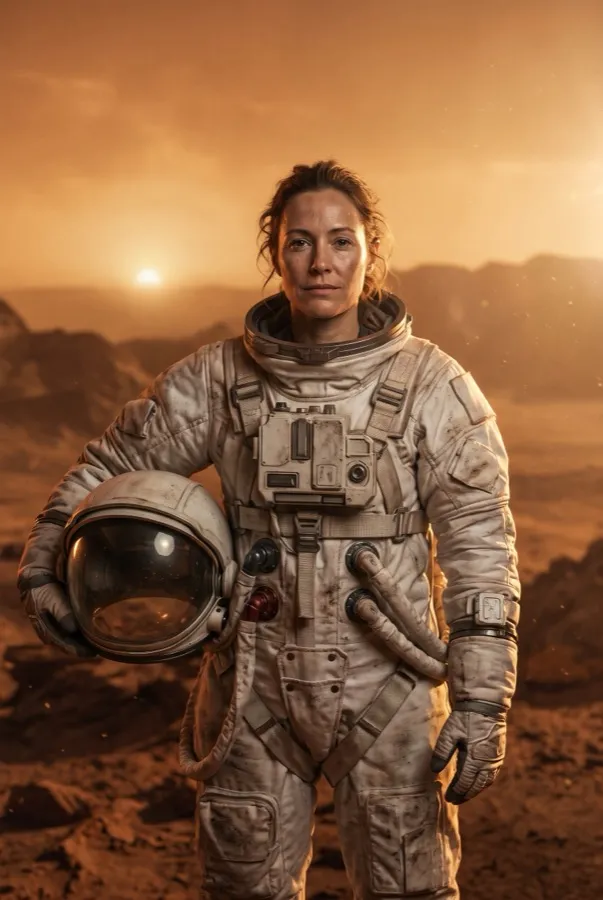
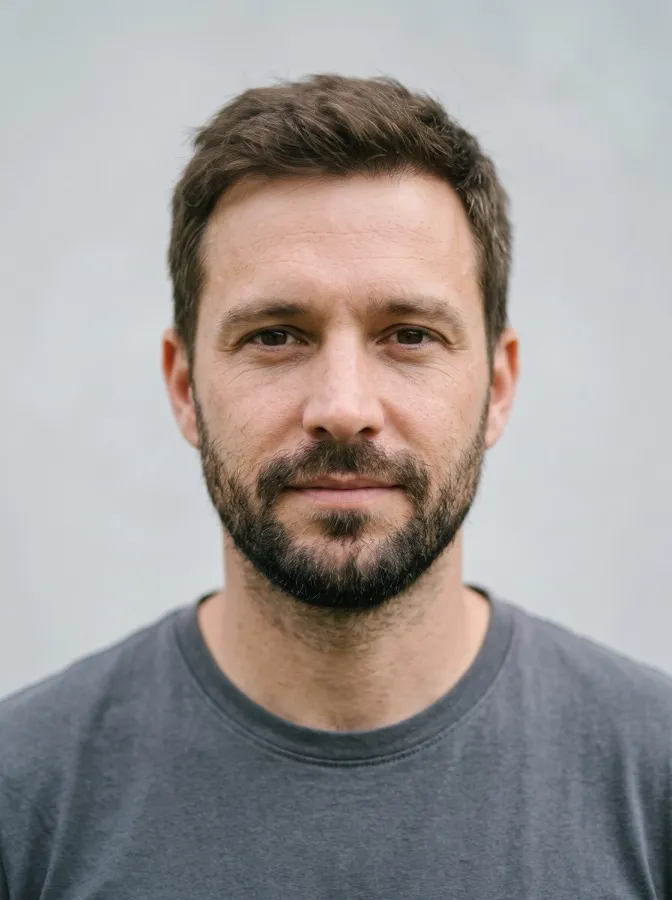
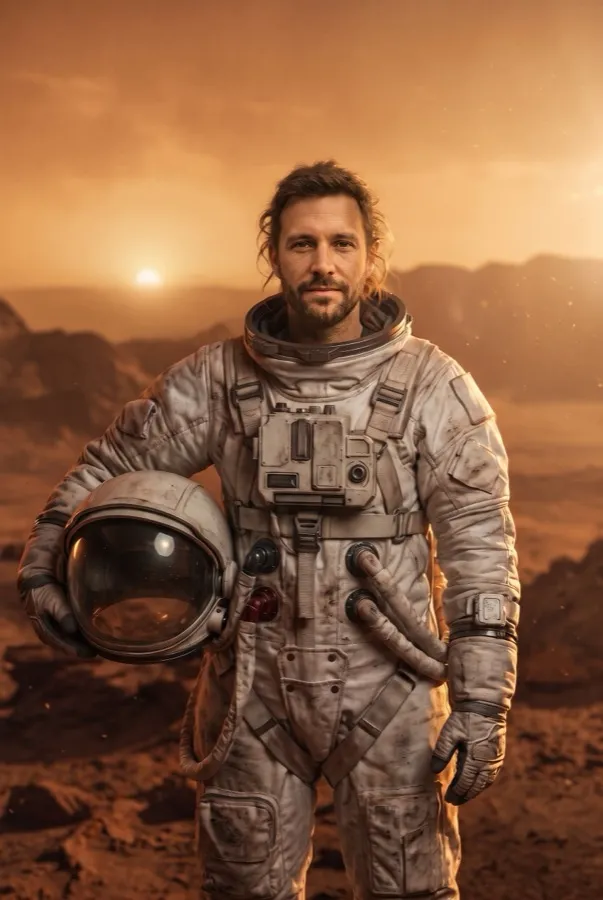
How it works
How to use photo face swap
- 1
Upload the target photo
Pick the photo whose face you want to replace, such as a poster, a costume shot or a scene. One clear main face works best.
- 2
Add the face photo
Upload a sharp, front-facing photo of the new face with even light, eyes open and nothing covering it.
- 3
Swap and compare
Generate, then compare the result with the real person: eyes, nose, jaw and overall proportions. Download it, or try a closer or better-matched face photo.
Better results
Photo tips that change the result
- 1
Match the angle and light
A straight-on selfie fits a straight-on target best. A strong side profile or very different lighting makes the face look pasted on.
- 2
Use a clear, unfiltered face
Beauty filters, sunglasses, heavy shadows, motion blur and hands over the face remove the detail the AI needs to keep the identity.
- 3
Keep the face large in the target
When the face is tiny or partly hidden in the target photo, the result loses detail. Crop or choose a closer shot.
- 4
Hair stays from the target
This tool swaps the face, not the hairstyle. Pick a target whose hair works for the person, or expect a different look.
Limits
What it can't do
- It replaces one main face. Group photos with several faces to swap are not supported yet.
- The result is an AI redraw, so identity can drift. Some face photos look more like the person than others.
- Hair, head shape and body come from the target photo; it is not a full head or body swap.
- Cartoon, heavily stylised or very small faces are harder to swap well.
- No minors, no sexual content, and no impersonation, fraud or harassment, as set out in the acceptable use policy.
Use cases
What people make with photo face swap
- 1
Movie posters and memes
Put a friend who agreed into a movie-poster style picture or a meme template.
- 2
Costume and character ideas
See yourself as a character or in a costume photo before a party or a shoot.
- 3
Hair and style previews
Place your face on a photo of a haircut or style you are considering.
- 4
Cards and invitations
Make birthday cards, invitations and story images that star you or your group, with their permission.
- 5
Pick a face before going live
Test which face photo looks best before you use it in the live webcam studio.
Why LiveFaceSwap
Why use it here
- 1
Blends with the target photo
The new face is matched to the target's lighting, grain and colour so it does not look cut out.
- 2
One balance for photo and live
Photo results and live face swap share one credit balance, and failed results are refunded.
- 3
Live when you need it
Need the face on camera? Use the same face photo in the live studio in your browser or the Windows preview app.
FAQs
Two: the target photo, which is the picture you want to change, and the face photo, which shows the face you want to put in. JPG, PNG and WebP files up to 10 MB work.
A sharp, well-lit, front-facing photo of one person with eyes open and nothing covering the face. Avoid filters, sunglasses and strong shadows.
The AI redraws the face and can lose identity, especially when the angle, light or expression of the two photos differ a lot. Try a face photo that is closer to the target's angle and light.
Usually because the lighting, colour or sharpness of the two photos differ. Choose a face photo with similar light and resolution to the target.
No. The hair, head angle, body and clothing stay from the target photo. Only the face is replaced.
Not yet. The tool replaces the main face in the target photo. Multiple face swap is planned.
Each result uses 20 credits from the same balance as the live studio, and failed results are refunded. Your first photo result is free: the first time your account uses a photo tool, we add the 20 credits it needs. You need to sign in with an account.
No. You download the image without a watermark.
Your photos and results are stored privately with your account and sent to our third-party image AI provider only to create the result. We do not use them to train models. Email support to have them deleted.
Yes. Only use faces you own or have clear permission to use, and never to impersonate, deceive, harass or create sexual content. Photos of minors are not allowed.
Guide
Read before your next run
More tools