Published 2026-11-24 · Updated 2026-11-24 · LiveFaceSwap.co
How multiple face swap decides who gets which face
A group face swap has to match each new face to a person. Three real runs show how left-to-right mapping behaves, where it goes wrong, and how to set up a group photo that works.
A single face swap has one easy question to answer: where is the face? A group face swap has a harder one: which face goes to which person? Get that wrong and you have swapped everyone correctly onto the wrong shoulders.
Tools solve this in two ways. Some detect the faces in your group photo, show them as thumbnails and let you assign a new face to each. Others, including the Multiple Face Swap tool on LiveFaceSwap.co, map by position: the first face you upload goes to the leftmost person, the second to the next one, and so on. This article shows how position mapping behaved in three real runs, what it cannot do, and how to choose a group photo that makes it reliable.
How position mapping works
You upload one group photo and between two and four face photos, in numbered slots: Person 1, Person 2, Person 3, Person 4. The tool sends all the images to an image model in that order with a fixed instruction. The instruction tells the model that the second image is the identity reference for the leftmost person in the group photo, the third image is for the second person from the left, and so on. It also tells the model to count people from left to right by the position of their faces, not to mix identities, and to leave anyone without a reference unchanged.
Everything else about each person is kept: hair, head angle, body, clothing and where they stand. The background, framing and lighting come from the group photo too. Only the faces are redrawn, all in one pass.
There is no click-to-select step. The order of your uploads is the mapping. That makes the tool quick to use, and it means the photo has to make "left to right" unambiguous.
Run 1: two people side by side
The examples here use fictional people generated with AI.


The group photo shows a man on the left and a woman on the right, waist-up, both facing the camera. Person 1 was a man with a shaved head and a full dark beard; Person 2 was a woman with long straight black hair.
The result put the bearded face on the left person and the second face on the right person. Two details are worth noticing. The left man now has the beard, because facial hair is part of the face, but he still has a full head of hair, because hair comes from the group photo. And the woman on the right kept her own wavy hair for the same reason. A face swap changes who the person is, not their haircut.
Run 2: three people in a row
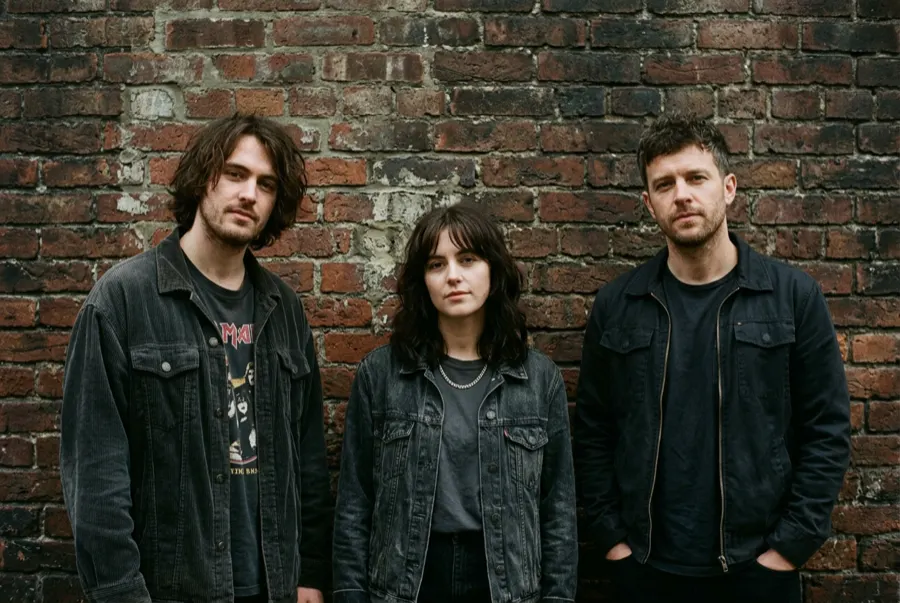
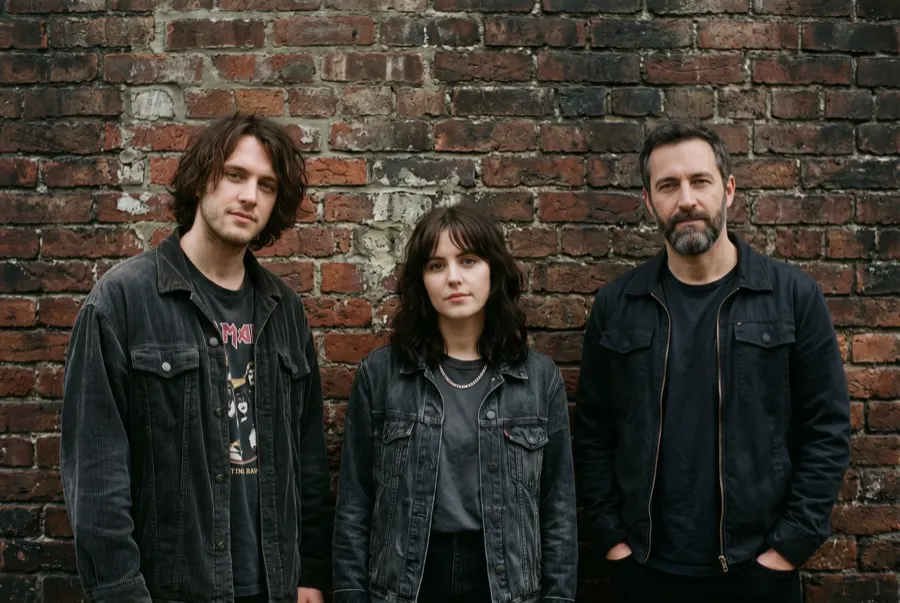
Three people standing in a row is the best case for position mapping, because left, middle and right are obvious. We added a third slot and uploaded three faces: a man with curly brown hair, a woman with a short pixie cut and a man with a grey beard.
Each face landed on the intended person. The clearest check is the right-hand man, who gained the grey beard from the third face photo. All three faces share the moody light of the original, because they were redrawn together rather than edited one after another.
Run 3: faces on the opposite gender's body
For a third run we deliberately crossed the mapping. We took a photo of a woman on the left and a man on the right and uploaded the faces from Run 1 in their original order, so the bearded man's face went to the woman on the left.
The tool did exactly what the order said. The left person came back with a bearded face under the woman's long hair, in her blazer. The model did not "correct" the order to match genders. That is the right behaviour for a tool with an explicit rule, and it is also the most common way to get a surprising result: the uploads were in the wrong order for the photo.
Where position mapping goes wrong
People stacked or overlapping. If one person stands behind another, or two faces are at nearly the same horizontal position, "left to right" stops being clear. The model has to guess the order.
More people than faces. Faces are assigned from the left. If you add two faces to a photo of four people, the two leftmost people are replaced and the others are left alone. You cannot skip the leftmost person and replace only the third.
Tiny or turned faces. A face that is small in the frame or turned far to the side gives the model little to work with, and identity is the first thing to slip.
Very different expressions. Expressions follow the group photo. A neutral face photo placed on a laughing person will laugh, which changes the mouth and eyes and can make the person harder to recognise.
Setting up a group photo that works
- Choose a photo where people stand in a row, with clear gaps between faces.
- Count the faces from the left and upload the new faces in that order.
- Use one sharp, front-facing, unfiltered photo per person.
- Keep faces reasonably large: waist-up group shots work better than distant full-body ones.
- After the run, check each person against their face photo. If two are swapped, reorder the uploads and run again.
If you need to replace only one person in a group, crop is not the answer, because the tool counts from the left. Use a photo where that person is leftmost, or use the single Photo Face Swap on a crop that contains just them.
Cost and privacy
A multiple face swap uses 30 credits per photo, whether you replace two faces or four, from the same balance as the live studio. Failed results are refunded, and your account's first photo result is free. Results are about 2K with no watermark. Photos and results are stored privately with your account, processed by a third-party image AI provider only to create the result, and never used to train models.
Use faces only with the permission of everyone shown. The acceptable use policy does not allow impersonation, deception, sexual content or images of minors.